
Notice: Function _load_textdomain_just_in_time was called incorrectly. Translation loading for the acf domain was triggered too early. This is usually an indicator for some code in the plugin or theme running too early. Translations should be loaded at the init action or later. Please see Debugging in WordPress for more information. (This message was added in version 6.7.0.) in /home/staging/probills.372digital.com/wp-includes/functions.php on line 6131

Notice: Function _load_textdomain_just_in_time was called incorrectly. Translation loading for the it-l10n-ithemes-security-pro domain was triggered too early. This is usually an indicator for some code in the plugin or theme running too early. Translations should be loaded at the init action or later. Please see Debugging in WordPress for more information. (This message was added in version 6.7.0.) in /home/staging/probills.372digital.com/wp-includes/functions.php on line 6131
Probills | Billing Upload

File Upload

You can easily upload your billing sheets or other documentation directly for action by us.

To upload a file to ProBills:

  • Enter your name and any additional information needed in the input box below.
  • Click “Choose files”, then browse for and select the files you wish to upload. Please ensure that the file names of the files contain details that allow us to identify you.
  • Click Upload.

The upload may take several minutes, depending on the size of your files and the upload speed of your connection.

You will need to remain on this page until your upload is confirmed, please do not refresh your browser during the upload process.

Once your upload has been completed successfully we will be notified and will then send you a receipt confirmation email for your records. If you do not receive this email within 1 business day, please contact ProBills.

Please note that we cannot accept executable files and they cannot be uploaded directly.
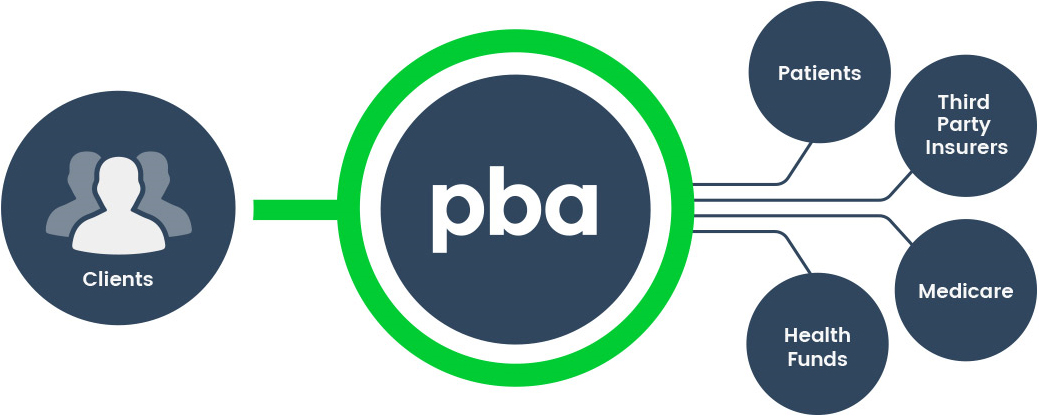
Probills client workflow

Make an enquiry

Security*
Push To Top